Give clients a searchable handoff
Box'd helps professional organisers print labels at home, scan into a client's account on-site, and add what's in each box by voice. They get a searchable list and Partner Share for family or movers. No need to build a whole system.
iPhone only for now. Android version coming soon.


Client handoff
The system lives with your client after you leave.
Labels, lists, photos, and Partner Share all go into the client's Box'd account. You can help build the system without owning their data or sharing their login.
Client
Owns the account and the list after the job.
Organiser
Gets invited through Partner Share before scanning.
Family or movers
Can be added later without sharing a login.
What changes hands
Labels, photos, and clean lists stay in the client's Box'd account. Your process becomes their handoff.
How organisers use Box'd with clients
Print at home, get access on-site, scan, pack, and hand off.
Print labels before the job
Labels aren't tied to an account until you scan them. Print a stack at home and bring them on-site. No need to use the client's printer.
Get access with Partner Share
On-site, your client signs up (or uses an existing account) and invites you through our Partner Share feature. You need access to their account before you start scanning so everything lives in their space.
Scan, pack, and add what's inside
As you pack, scan each label onto a box and tell Box'd what's going in. We'll write the list. All of it goes into your client's account. Optionally, snap photos of the box contents to give your client x-ray vision into the box.
Hand off the searchable list
Walk them through finding anything in the app. Show them how to invite family or movers to view their boxes via Partner Share. No need to share their login.
What Box'd keeps for you
A number outside. A useful list inside.
The box can stay plain. Box'd keeps the useful details: the number, what's inside, photos, and the thing you'll search for later.


Bulk labels and a clear handoff
Print labels ahead so you're not waiting on a client's printer. One account per client (or they create their own). Scan labels onto boxes as you pack and add contents with voice. When you're done, show them how to use the app and set up Partner Share so they can invite family or movers. They get a digital handover they can use.
See the full Box'd story · Moving clients? Send them our moving guide · See printable QR labels
Client handoff checklist
- 01
Confirm the client account before scanning labels.
Everything should land in their Box'd account from the start.
- 02
Add what's inside each box as you pack.
Voice keeps the job moving while the list stays tidy.
- 03
Show the client how search and Partner Share work.
They should know how to find things without calling you.
- 04
Leave them with a list they can use after you go.
The system lives with them, not in your notes.
Tools for professional organisers
One app. Bulk labels. Partner Share.
Print Labels at Home
Print a bulk stack before the job. Labels aren't linked to an account until scanned, so you can bring them to any client.
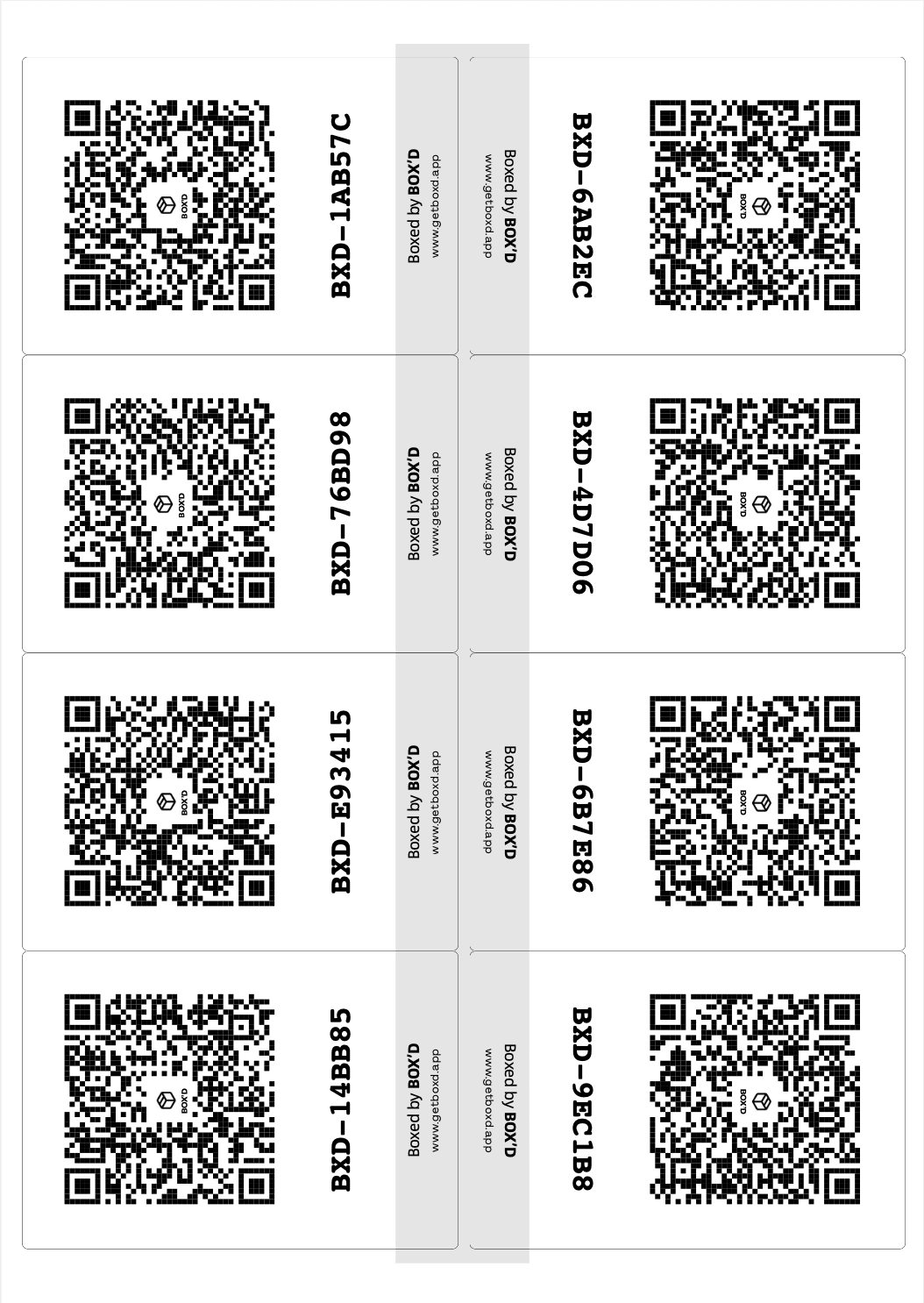
8 labels per sheet
Avery-style or plain paper
Voice Inventory
Hands are full when you're packing. Tell Box'd what's going in each box as you go. We'll write the list for you.
Partner Share
Partner Share lets your client invite family or movers to view what's in their boxes. No need to share their login.
Flashlight Search
Type what they need and point the phone at the room. The right box lights up. Great for unpack or handover.
See Inside
Snap a photo before you close the box. Your client can see what's inside without breaking the seal.
Clean lists
We turn your rambling into a clean, searchable list. No typing required.
Professional organiser FAQ
Client jobs, Partner Share, labels, and who pays for what.
Can professional organisers use Box'd with client accounts?
How do I use Box'd with clients?
Whose subscription covers the boxes—you or the client?
Can I use one printed stack for different clients?
How does Partner Share work for organisers?
Do I need to print at the client's house?
Why do you need my camera and microphone?
Does Box'd work offline at a client's home?
How do I cancel my subscription?
Is there an Android version?
Who can see my data?
Is it free?
Can I use Box'd for my own move, not just client jobs?
I have more questions. How do I get help?
Box'd pricing for client jobs
5 boxes free. Upgrade when you're ready for more.
3‑month move pass
$19.99
One-time. Unlimited boxes for your move.
Monthly
$7.99/mo
Cancel anytime. Unlimited boxes and Partner Share.
Yearly
$39.99/yr
Best value. Unlimited boxes and Partner Share.
Pricing above is in US dollars. Other countries may vary and actual charges may be converted to your local currency depending on the country of residence.
Start for free
Your first 5 boxes are on us. Try it on your next job. Upgrade to Unlimited when you're ready for more.