Moving6 min readBy Box’d
How to keep track of boxes when moving
Give every box a number. Keep a searchable list of what’s inside. You’ll know where to look before you cut the tape.
The short version
Write a unique number on two sides of each box. Record that number and what’s inside in one list. Update the list when you move an item, then search it before opening boxes at the other end.
You can start with a marker and the phone you already have.
In this guide
“Kitchen” gets a box into the right room. It doesn’t tell you which of the six kitchen boxes has the kettle. A box number connects the cardboard in front of you to a list with the details you’ll need later.
This works with a notes app, a spreadsheet or a box inventory app. The habit matters: record what goes in while the box is still open. Trying to remember after you’ve taped up a room is much harder.
If you’re choosing an app, compare moving box apps by price and label options.
1.Give every box its own number
Start at 1 and work upwards across the whole move. Don’t restart the numbering in each room, or you’ll end up with several “box 4s” and no easy way to tell them apart.
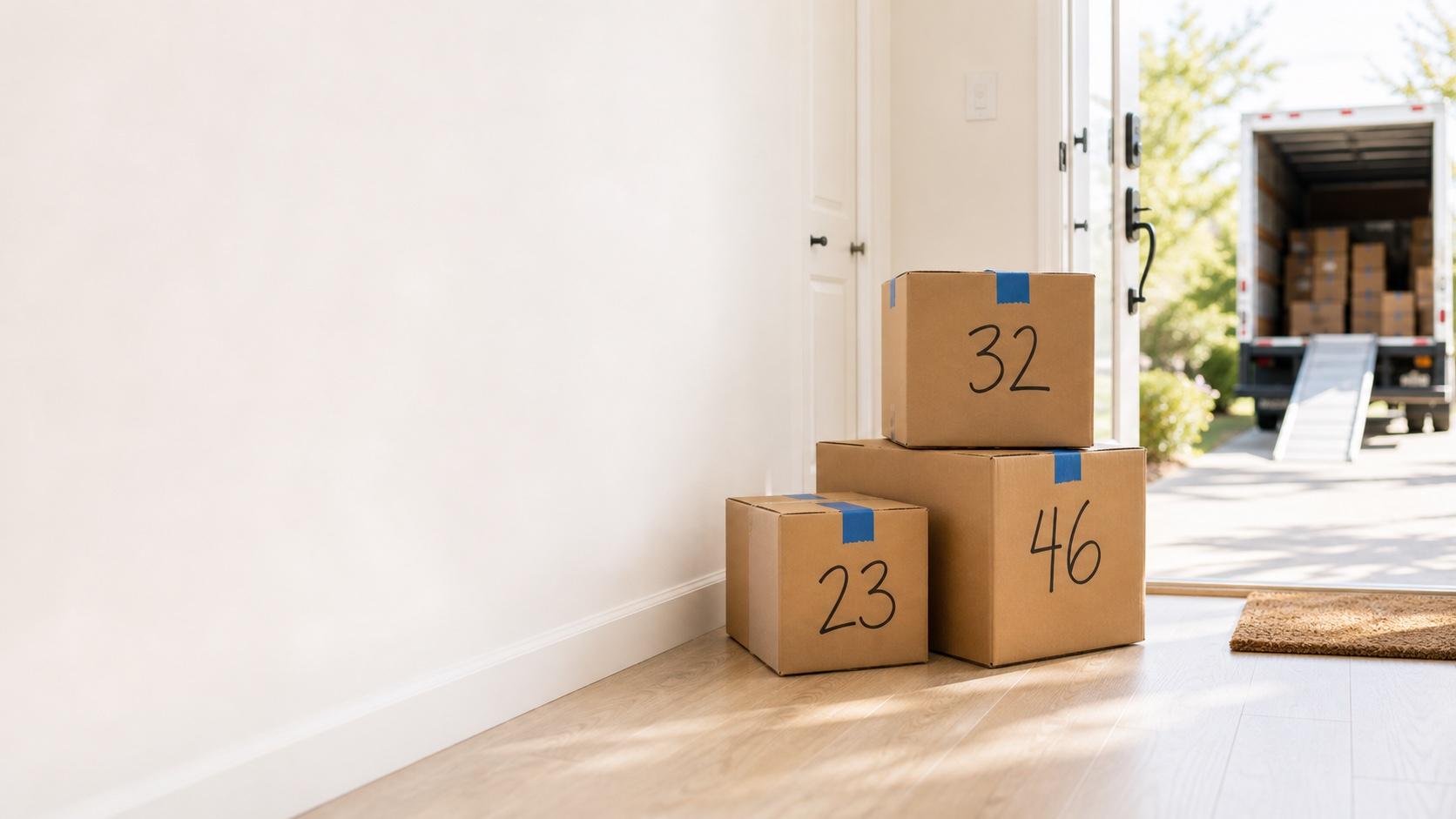
Write the number in large, clear digits on two sides. Add the destination room so helpers know where to put it. Keep the number visible when you tape the box shut. If you’re reusing boxes, cross out old numbers and room names first.
There’s no need to print anything. A permanent marker is enough. Keep detailed contents in your list rather than writing valuables or personal documents on the outside.
- Kettle
- Two mugs
- Tea bags
- Phone charger
2.Record what you’ll search for
Give each box a list with its number, destination room and contents. Use the words you’ll remember on a tired evening: “kettle”, “Wi-Fi router”, “bed bolts”. “Miscellaneous kitchen” won’t help much when you need a cup of tea.
You don’t need to count every spoon. “Cutlery tray” is useful enough. Be more specific with things you’ll need quickly, things that belong to someone else, and small parts that are easy to lose.
Take a photo before sealing the box, especially if it has layers or several similar items. A photo helps you recognise what’s inside; a written list gives you words to search for. Use both when it helps.
You can type the list as you go, or use voice input in an app that supports it. The best method is the one you’ll keep using when you’re halfway through the garage.
3.Keep everyone on the same list
If several people are packing, agree on the numbering before starting. Give one person boxes 1–20 and another 21–40, or have one person hand out the next number. Gaps are fine. Duplicate numbers are the problem.
Choose one place for the contents list. If you use a shared note or spreadsheet, check that everyone can open it. If you use an app, check whether helpers can edit or only view the inventory before assigning them packing jobs.
When an item moves to another box, update both entries straight away. A perfect list at lunchtime is no use if you reshuffle everything in the afternoon and leave the list behind.
4.Keep the first-night things within reach
Set aside what you’ll need before the main unpacking starts:
- Chargers and toiletries
- Bedding and a change of clothes
- Whatever you need for breakfast
Keep medication, keys and important documents with you.
Mark the relevant boxes “Open first” as well as giving them a number. Keep them accessible and tell anyone helping which ones they are. A searchable list tells you where the kettle is; it can’t lift it out from underneath a stack of furniture.
Before loading, check your numbered boxes against your list. Repeat the check as they arrive. If a number is missing, you have something specific to look for.
5.Search before you start opening boxes
At the new place, look up the item, note its box number and check the destination room. Open that box first. Leave the rest sealed until you need them.
If your list needs internet, check access before moving day. Save a copy or take screenshots of the essential box lists while you have a connection. Don’t assume the new Wi-Fi will be ready when the truck arrives.
As you empty boxes, mark them as unpacked in your list. Keep the details for anything staying packed. If it goes into storage, add where you put it, such as “garage, back wall, lower shelf”. Our storage inventory app page explains how Box’d can help with boxes you won’t open for a while.
Putting the system to work in Box’d
We make Box’d for this job. Write a number on your box, enter the same number in the iPhone app and add what’s inside. You can say the contents aloud, type them, or add photos alongside your list. Later, search for an item to find its box.
Start with the number
The number on the box is the number in the app.
Use your marker now. Print QR labels later if you want scan-to-find.

QR labels are optional. They add scanning and Flashlight Search, which helps you spot a labelled box through your camera. Handwritten numbers work with the contents list and text search. Box’d needs internet for search and sync, so plan ahead if reception at the new place is patchy.
Your first 5 boxes are free, with no account needed to start. Try the system on a few boxes before committing your whole move to it.
See Box’d for movingA few packing questions
Can I use a spreadsheet instead?
Yes. Start with columns for box number, room, contents and whether it’s unpacked. Make sure you can search and read it comfortably on your phone. A dedicated app can make adding photos and recording contents easier, but you can use the same numbering system with either.
Do I have to print QR codes?
No. Handwritten numbers and a searchable list are enough to find the right box. Add QR labels if you’d also like to scan boxes.
What if I’ve already packed half the house?
Start with the next box. Number the sealed ones and record what you know, marking uncertain contents as “to check”. Add the missing details when you next open them. A useful partial list is a better starting point than waiting until you can redo everything.
One number outside. A useful list inside.
Back to all articles